My Home Automation Left Me in the Dark. Literally.
It does what you let it. Be careful.

The midnight blackout
Beep. Beep. Beep. .... Beep. Beep. Beep.
I woke shortly after midnight to beeping — not the smoke alarm, but the UPS in the office, signaling a power failure. Which made no sense -- I have a whole-home battery to avoid exactly this. If the utility drops, the battery takes over, and the UPS never has to do anything at all.
The lights didn't work. I grabbed my phone, turned on the flashlight, and made my way to the garage, where the electrical panel is. My router and the rest of the networking gear live out there, and that UPS was beeping too - no power. Ten minutes before the house lost internet.
Which was its own kind of confusing, because the router wasn't supposed to be on that UPS anymore. I'd just bought a Pila battery and put it in line as longer-term backup for exactly this situation. If the UPS was carrying the load, the Pila had gone dark too.
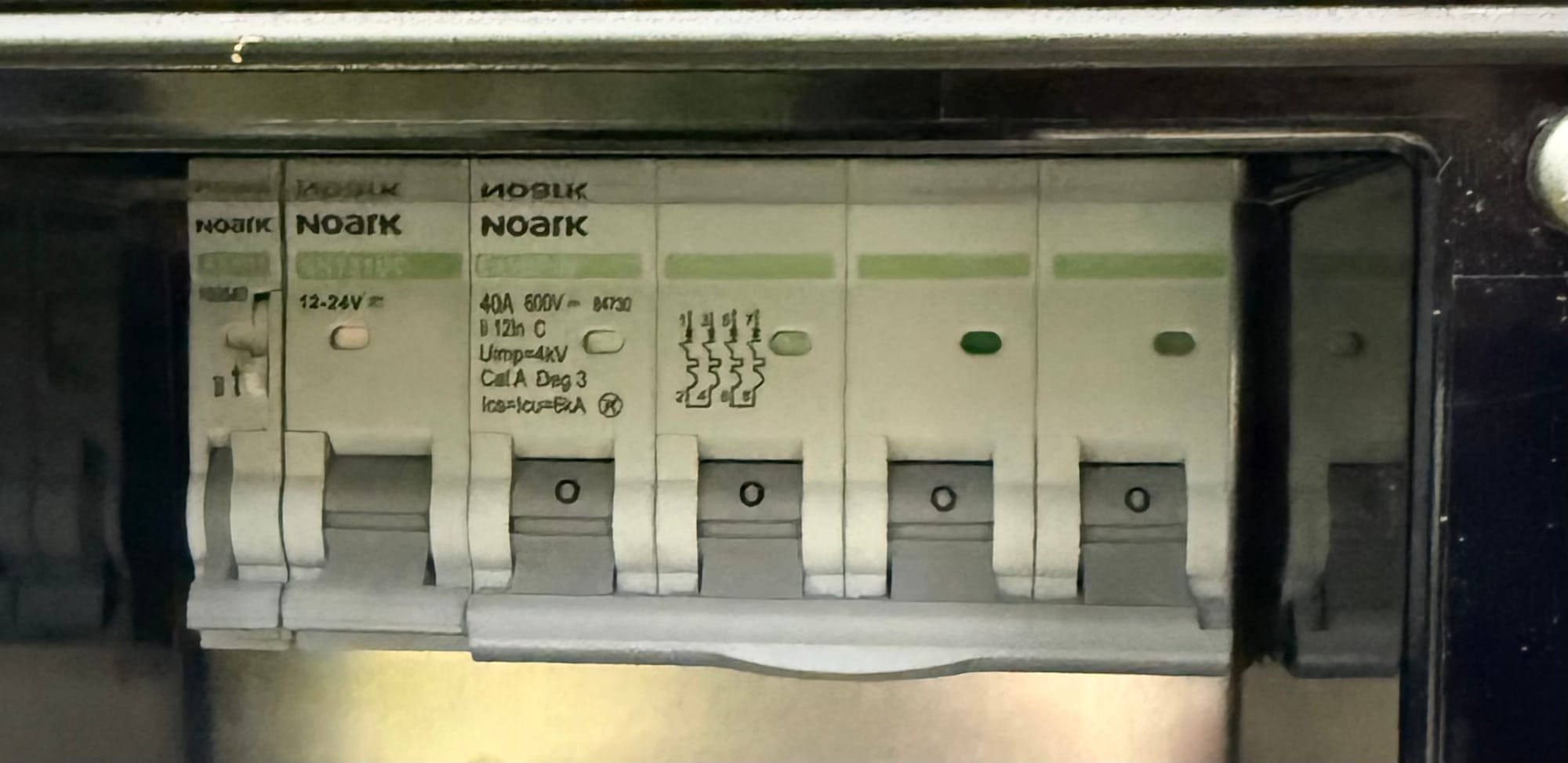
At the panel, no breakers were tripped. And when I opened the door, the light inside the Span panel came on.
The panel had power. But nothing else did.
I stood there in the garage with my flashlight, half awake, doing the math. Utility power was still on. Three separate backup systems were either dead or dying. There was no storm, no workers on a pole, and no one to call. I’d designed this to keep the house running without the utility, and it wasn’t running with the utility still on. The thought crossed my mind - had I been hacked?
The office UPS was still beeping somewhere behind me. Then the garage UPS gave up, and the internet went out with it.
Great.
I opened the Span app on my phone. Without internet, the panel had failed over to cellular, so I could still see it. Utility power: on. Home battery: 0%. And then the circuit list.
Everything was off. Every circuit in the house, switched off — except the refrigerator, and the internet.
That stopped me. Simple overloads don’t happen in unison. Failures don't spare the food. That list wasn't damage, it was a decision. Something had gone through my house circuit by circuit and made choices, and it had thought about the fridge.
It had also decided the internet should stay on. The internet had already been dead for a minute.
I tapped the garage lights back on in the app. They came on! So I sat in the garage and restored my house one circuit at a time, from my phone. Then I unplugged the Pila and put the router straight into the wall to restore internet. At one in the morning that was good enough.
The next day I found it: the home battery's main breaker had tripped. That explained the 0% reading, and the 0% explained the rest — a smart panel that thinks the battery is empty might start shedding load, and shedding load looks exactly like what I'd seen. It shouldn't have, with utility power on. But that made it a possible bug in Span's software, and that was a satisfying enough answer at the time. I reset the battery breaker and went to bed that night.
Then it happened again. Same hour, same beeping, same list of circuits with the refrigerator still on - except the internet didn’t shut down because the Pila was unplugged.
This time the battery wasn't at 0%. That explanation was gone, and whatever had turned off my house clearly didn't need a failed battery's help to do it.
The answer, when I found it, was something I'd installed on Home Assistant to save money - that had decided on its own to turn off my house.
The home automation I'm running
To see how an app could do this, you need to know how many systems in my house can control things. Here they are, roughly in the order I installed them.
| Device | What it does | What controls it | Why automated |
|---|---|---|---|
| Apple HomeKit | The user-friendly interface | Household, via phonesRuns in parallel with Home Assistant | Easy interfaceTimer automations, HKSV |
| EV charger | EV charging | Car's own schedulerPlus ev.energy, Home Assistant and SundialEV at various points | Biggest loadSave money with solar and low TOU rates |
| SolarEdge inverter + battery | Solar production, storageWhole-home backup | SolarEdge's own scheduler, grid DSGS, SPAN for backup behavior; Home Assistant reads it | Maximize solar against TOU tariffs, outage backup |
| SPAN panel | Circuit-level switchingMetering, load control | SPAN app & firmware, SolarEdge, grid SAVE, Home Assistant via the SPAN integration | Load management and backupUsage monitoring |
| Heat pump water heater | Hot waterDoubles as a thermal battery | Built-in timerOr a Home Assistant switch | Off during peak TOU |
| Home Assistant | Local automationsIntegrations, tracking, all custom | MeAnd whatever I install, which can also be a curse | FlexibleWorks across platforms |
| Pila battery | Backup power for the routerTOU load shifting | Pila appHome Assistant via MQTT, which turned out to matter | TOU load shiftingMonitoring |
Home automation: local control vs cloud
When a smart home company shuts down, its customers find out how much of their house depended on it. Belkin pulled the plug on the Wemo cloud. Insteon went dark overnight. The conventional lesson is to avoid the cloud and buy hardware that can run locally, like Home Assistant, which works without any cloud at all. I’d set out to stick to a local-control approach for more-involved automations.
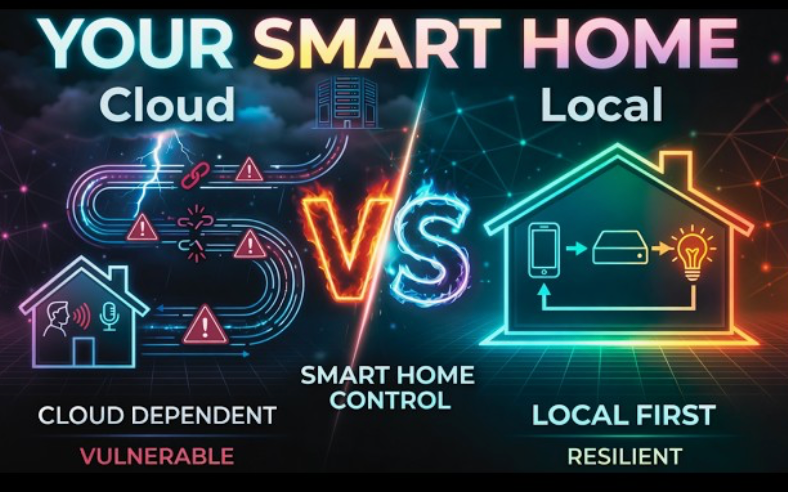
The point of automation and local control is resilience – keeping the parts of your house that matter running when something upstream fails. The grid, the internet, the cloud service, a piece of hardware. A battery gives you stored energy; automation is what turns stored energy into a house that keeps working — deciding which circuits matter, in what order, for how long.
But it sets a bar: anything you add to the system should fail gracefully on its own without taking everything else with it.
I had cleared that bar before.
At 2pm on a spring day, there was a brief flicker - the oven clocks went off, and my phone buzzed. Power outage. Everything else was fine - internet, lights, computers. Solar was powering priority circuits and battery was at 100%. SolarEdge and Span managed the handoff between them. Two hours later, utility power came back on and everything that wasn’t priority returned to normal.
The best automation story is the one where nothing much happens. This was the easy case - daytime with solar producing. A simulated overnight outage, by shutting off the main, made it to morning. A multi-day outage in January would be the real test.
The next thing I added failed the bar about as completely as possible.
The root cause: because it could
In plain terms: a local app I'd installed to optimize my solar production could also switch off electric circuits. When the car started charging at midnight, the app decided the house was using too much power and turned off everything it could reach. That included even the computer it was running on.
I only know this because it was written down. Span’s app has an activity Feed, but it didn't show the circuits shutting off, it only showed when I turned them back on by hand. Home Assistant's logs had the whole sequence: an integration called SEM had commanded Span and Pila circuits off, one after another, as part of a load-shedding routine.
The panel's own app had no record of what happened to the panel. The culprit - Home Assistant - had written its own confession.
How it got in
I’d been looking for a way to charge my EV from solar during the day. In the past, I’d used ev.energy, a cloud service, to manage TOU charging and they paid me a bounty for it. But in order to optimize for solar, they instead charged $10/month - not worth it if, like me, you’re on NEM2. Plus, I was wondering how to integrate other things besides my EV.
I’d previously bought Home Assistant Green to experiment further with home automation. I installed the Solar Energy Management (SEM) HACS integration on Home Assistant to see what it could do in this regard, configured to monitor power sensors.
Now, HACS integrations on Home Assistant are user-created code sets that run with full access to sensors and controls inside Home Assistant. What I didn’t know was that SEM had searched through my controls and sensors and automatically identified all the power control switches.
What it controlled
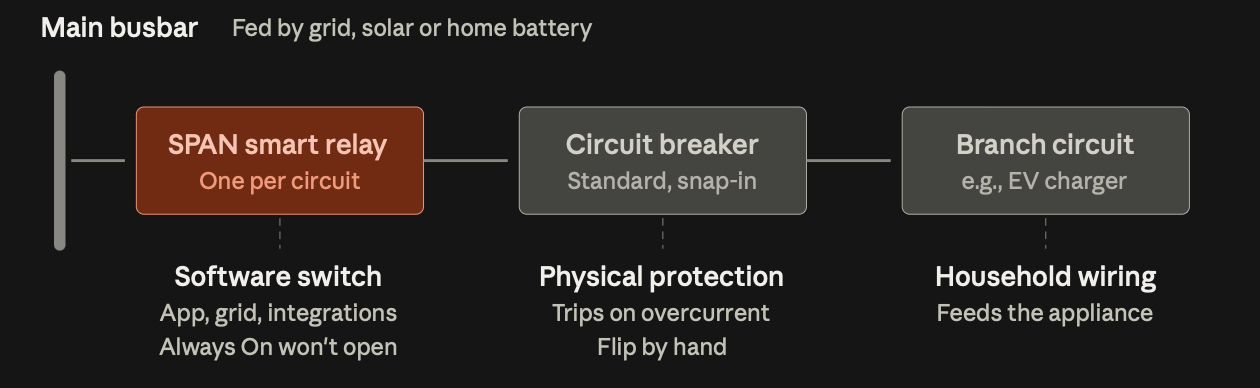
Those controls included all the Span circuit control relays, exposed via another piece of code - HACS Span integration - that created sensor and control instances in Home Assistant from Span’s local API, which I had previously authorized.
They included the outlet control switches on the Pila battery, which were directly exposed via an MQTT server I’d installed on Home Assistant and authorized against the Pila battery’s API.
The sequence of events
At midnight, my car started charging at 7.6kW on its own timer settings, to catch lower TOU electric rates.
SEM saw grid load cross a 5kW ceiling and kicked in load management. I hadn’t turned load management on. It was on by default at that setting, while the user guide said it shipped off, and the “arm" switch sat behind an advanced view I’d had no reason to open. I had set device connections to monitor power meters only. That default was real and it was honored – on the surplus side. The setting never reached the load shedder code. So the Span circuits and the Pila outlets were targets from the moment they were auto-discovered.
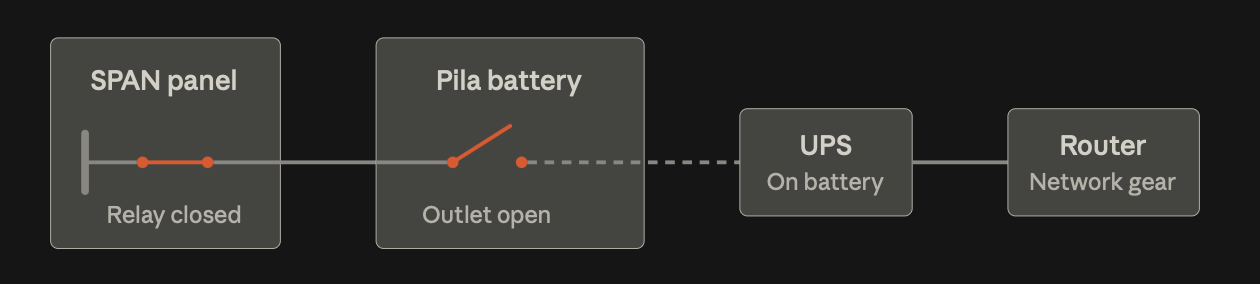
Then it shed. Not just the EV circuit or until the load came down — it shed nearly everything it had. Somewhere down that list it opened the Pila circuit feeding the router and Home Assistant server.
The router and server kept running on UPS, beeping, for ten more minutes, then died. The software that turned off my house had also turned itself off.
What held
Two Span circuits stayed on - refrigerator and internet. Nothing had “thought” about the fridge. Span has a native setting for always-on circuits that aren’t exposed to Home Assistant at all. The panel’s firmware simply didn’t let anything touch them.
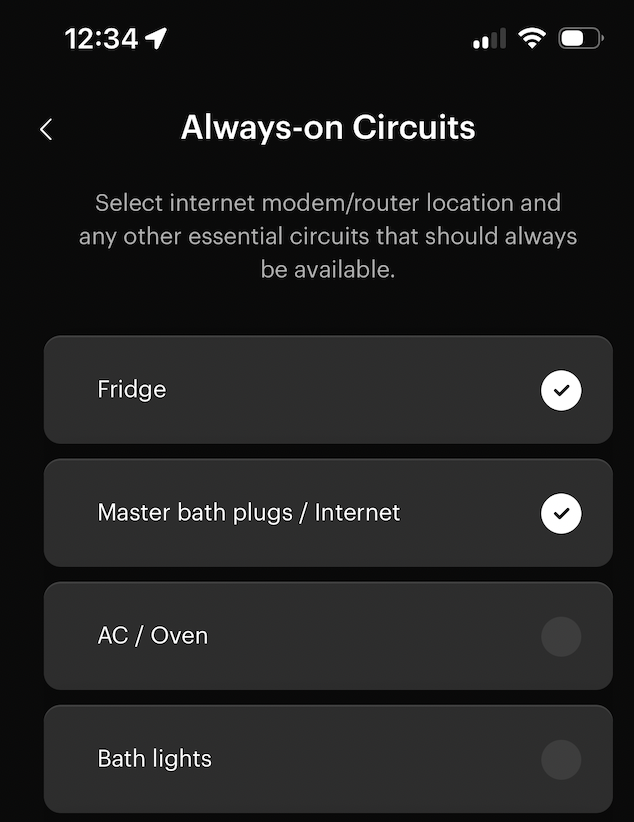
The Pila had no such native circuit protection mechanism, and because it sat in-line with the router, the protected internet circuit went dark anyway.
So, had I been hacked?
No. Every door that was walked through, I’d opened myself.
The most local thing in the house was open source, ran on my hardware, had no vendor cloud, and was chosen on purpose for those reasons. It shipped a bug and turned off the house, and the only safeguard that held – Span always-on circuits – was firmware from a cloud vendor I didn't control, with its own cellular backup.
The clue that wasn’t
What about the tripped battery breaker, the clue that sent me to bed satisfied after the first night?
It was an independent event, which didn’t affect anything since utility power was available the whole time. Resetting it after the first night changed nothing in the failure sequence, which is why the second night played out the same way.
I still don’t know what caused it. Its tripped three more times since and I have a ticket open with my solar installer. It’s the remaining mystery in this story, and a reminder that when two things go wrong at once, the obvious one isn’t always the one doing the damage.
Thus, with the same setup: On one day, the utility failed and nothing happened. On two nights, nothing failed and the house went dark. I’d built the house to survive the grid - but not to survive me.
The rules: What my blackout taught me about home automation
Running things locally means I’m doing my own design, integration and QA - which takes more diligence than I’d been giving it. Here’s what I’ve distilled, first from the blackout itself, then from what I’ve researched.
1 - Build independent safeguards, in layers.
A safeguard is anything standing between a bad command and the damage it would do — a lock in an app, a setting in the panel, a breaker you flip by hand. Build more than one, because any single one can be wrong.
But two only count if they can fail separately: a safeguard sharing a failure domain with the thing it guards isn't a second layer, it's the same layer twice. Span's always-on circuits live in the panel firmware, below anything Home Assistant can ask — those held, and they're why the refrigerator stayed on.
Ask every safeguard and every route in: what is shared with the thing it's supposed to survive (ie - common code, common connectivity, common hardware)?
What I did: I’m not using Pila to backup my Internet and HA. Until there’s an independent lock on the outlet switches, I wouldn't have a second safeguard.
2 - Scope authority narrowly, on both sides.
A requester should only reach what it needs; a receiver should refuse or ignore requests by default. An app that only needs to see solar production and the EV shouldn't be able to open another circuit, and the circuit controller shouldn't accept commands it wasn't explicitly configured to accept.
You can't audit every piece of software that might someday talk to your panel, but you can set what the panel will accept. The Span HACS integration now includes this capability, as outlined here. If I had configured this setting in the Span HACS integration, my blackout would have been prevented.
What I did:
- I uninstalled SEM. SEM’s developer has fixed the bugs my outage identified. However, my system has load management that runs in firmware in the Span panel, and I don’t want that broad authority running in Home Assistant.
- I turned off controls to allow operation of my Span panel by any logged-in or logged-out HA users, including automation. This is new functionality to the Span integration, and a good one.
3 - Don't leave a device in an abandoned state.
Whatever changes a device's state is responsible for changing it back. SEM shed the circuit feeding Home Assistant, which killed SEM — and every circuit it had touched became ownerless in the same instant, with no return path and no way for the condition to be cleared by its requestor. In this case it wouldn’t have mattered, because SEM didn’t have a built-in recovery mechanism – but turning itself off meant that it couldn’t recover even if that mechanism existed.
What I did: I removed the ability for Home Assistant automations to turn off the circuit running itself and my network - as outlined under rules #1 and #2.
From the research
Four more principles that didn’t come from the blackout, that I’d follow now.
4 - Every shared resource needs one arbiter. Solar surplus, battery capacity, panel amps are shared resources. If nothing decides how a resource is divided, the fastest-reacting controller wins by default, and your intended priority order is set by polling intervals rather than by you. This is important if you’re trying to decide whether to charge the EV or the home battery from solar first. There are ways to solve this — that's its own article.
What I did: My original goal was to better utilize solar surplus - I’m now testing the SundialEV app (a cloud app) for excess solar EV charging, with the home battery controller set to a time-gated schedule to avoid conflicts. So far it works well.
5 - Decide what a device does when nobody is commanding it.
Every device lands somewhere when its controller dies, and you should pick where rather than discover it. My water heater TOU control is a normally-closed relay, so it runs if the controller fails and can be unplugged to restore hot water manually. For a space heater or an EV charger the right answer is to fail ‘off’ — there's no universal safe direction, only a safe one for each device.
6 - Assume any sensor can go unavailable.
Define what happens when it does, or it gets defined for you. “No data” is not zero — a controller reading a missing surplus sensor as "0 W available" and one reading it as "unknown" might need to behave very differently.
7 - Rate-limit anything mechanical or physical. Compressors that short-cycle die - expensively, and relays have a finite number of operations. Put rate limiters on their own independent layer - the layer that limits damage when the logic above it is merely bad rather than catastrophic.
If you can't measure it, you're guessing
Without measurements, you’re limited to time-based automations. In my house, Span provides and aggregates highly granular electrical usage data, and makes it available in an app and via API. Without logging, you’re guessing what went wrong. Make sure something is writing down automation actions where you can read them afterwards.
None of this is new
The industrial process control industry solved these problems decades ago. What's new is that a homeowner can wire a panel, a battery, an EV charger and community-written software together, and become the integrator, the operator and the QA department all at once. In doing so, we rediscover the rules one blackout at a time. Kind of like Spain.
Beep. Beep. Beep. The UPS was the best-behaved device in the house that night, because it was simple. Simple devices come with limited scope and independent layers by default. The UPS could act only on what it was plugged into, and it didn't need anything else in the house to be working. Smart automation comes with neither. You have to build both in on purpose, or find out at midnight that you didn't.